
iscover the best restaurant POS system for small business in 2026. Compare features, pricing, and AI-powered solutions like BillMatik to streamline your operations and boost profits.
Let’s be honest. Running a small restaurant is one of the toughest jobs in the world. You’re the CEO, the chef, the accountant, the marketer, and sometimes even the dishwasher. Every single decision you make has a direct impact on your bottom line.
And few decisions matter more than choosing the right Point of Sale (POS) system.
For a small restaurant, the POS system isn’t just a cash register. It’s the operational backbone of your entire business. It touches every single part of your operation—how fast you take orders, how accurately you track inventory, how easily you manage staff, how effectively you engage customers, and ultimately, how much money you actually keep at the end of the month.
Yet, according to industry data, nearly 40% of small restaurant owners regret their POS choice within the first year. They end up paying for features they don’t need, struggling with complex interfaces, or—worst of all—losing money to hidden fees and third-party commissions.
In 2026, the best restaurant POS system for small business isn’t the one with the most features. It’s the one that removes the most friction from your daily operations at the most affordable price. It’s the system that works the way you work, not the other way around.
This guide will help you navigate the crowded POS landscape and find the perfect fit for your small restaurant. We’ll explore the essential features, compare the top contenders, and take an in-depth look at BillMatik—an AI-powered, all-in-one restaurant management platform that’s redefining what a POS system can do for small businesses.
Why Small Restaurants Need a Dedicated POS System
You might be thinking, “I’m just a small operation. Can’t I just use a basic tablet and a card reader?”
The short answer is: you can. But you’ll pay for it in lost time, lost revenue, and lost sanity.
Here’s why a dedicated restaurant POS system is essential for small businesses:
1. Speed Matters
In a small restaurant, every second counts. A slow checkout process means longer wait times, fewer tables turned, and frustrated customers. A dedicated POS system is designed for speed—with intuitive interfaces, quick menu navigation, and one-tap checkout.
2. Accuracy Prevents Losses
Manual order taking leads to mistakes. Mistakes lead to unhappy customers and wasted food. According to industry studies, order errors cost small restaurants an average of 3-5% of their monthly revenue. A good POS system virtually eliminates these errors by routing orders directly to the kitchen.
3. Inventory Control Saves Money
For a small restaurant operating on thin margins, food waste is a silent killer. A POS system with inventory tracking helps you know exactly what’s selling, what’s not, and when to reorder. This alone can save you thousands of dollars a year.
4. Customer Retention Drives Growth
Acquiring a new customer costs 5-7 times more than retaining an existing one. The best restaurant POS system for small business includes built-in loyalty programs and customer relationship management (CRM) tools that help you turn one-time visitors into regulars.
5. Data Drives Decisions
You can’t improve what you don’t measure. A good POS system gives you real-time data on sales, profits, labor costs, and customer behavior—so you can make informed decisions about your menu, pricing, and marketing.
Read More: Restaurant Inventory Management: How to Stop Losing Money on Food Waste
What to Look for in the Best Restaurant POS System for Small Business
Not all POS systems are created equal. Here are the essential features that the best restaurant POS system for small business must have:
1. Affordable, Transparent Pricing
For a small business, cost is everything. Look for a POS system with:
- No hidden fees: Avoid systems that charge per-transaction fees on top of your subscription.
- Flat monthly pricing: Predictable costs make budgeting easier.
- No long-term contracts: The ability to cancel anytime gives you flexibility as your business grows.
- No mandatory hardware: Systems that work on devices you already own save you hundreds of dollars upfront.
2. Cloud-Based with Offline Mode
Cloud-based POS systems allow you to view sales, performance, and operational data from anywhere, in real time. But internet connectivity isn’t always reliable. The best restaurant POS system for small business should continue working even when the internet drops and sync automatically when connectivity returns.
3. Commission-Free Online Ordering
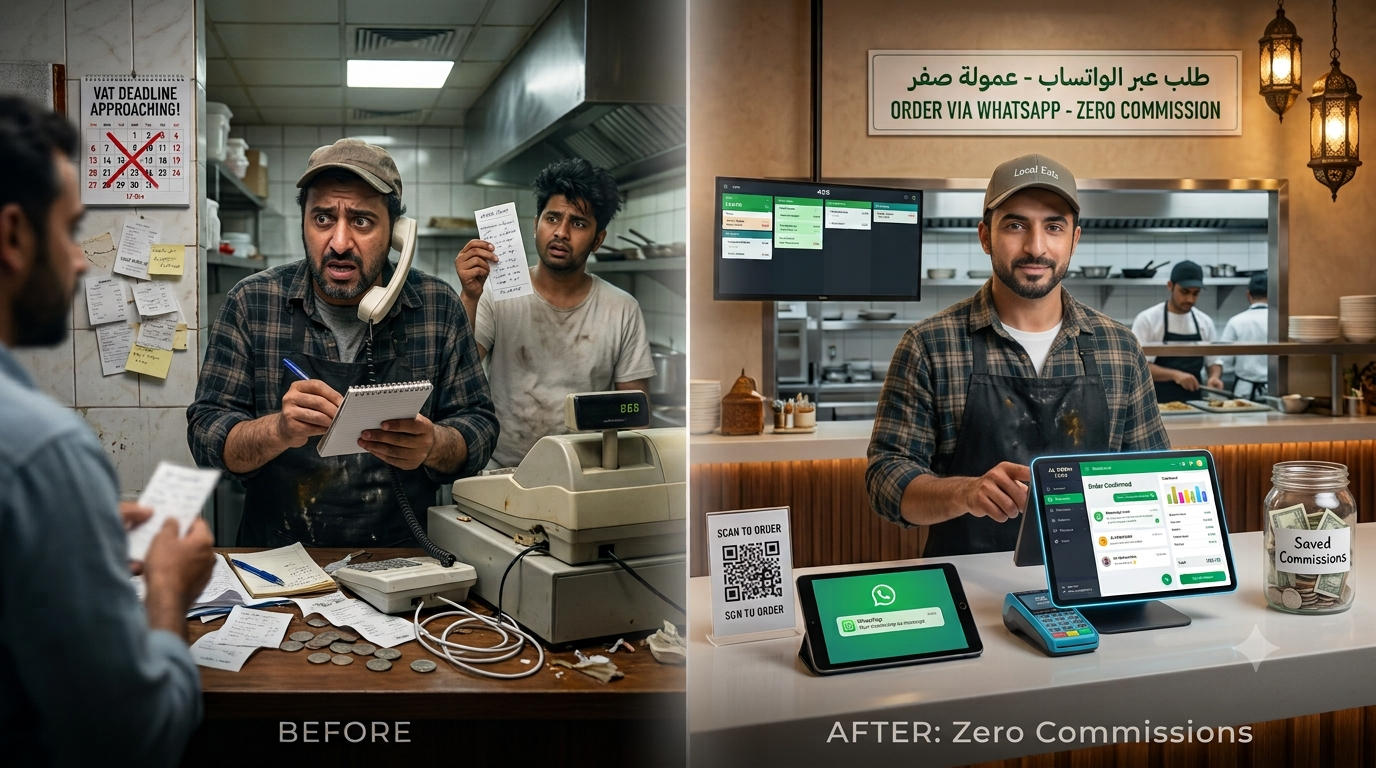
Third-party delivery aggregators typically take 15-30% per order. For a small restaurant operating on thin margins, that’s often the difference between profit and loss. Look for a system that offers a zero-commission alternative—your own branded website or app where you keep 100% of your revenue.
4. WhatsApp and AI Integration
In 2026, customers expect to communicate with businesses through messaging apps. The best restaurant POS system for small business should integrate with WhatsApp and use AI to automate order taking, customer engagement, and marketing.
5. Kitchen Display System (KDS)
Paper tickets are outdated and error-prone. A modern KDS displays orders on a screen the moment they’re placed—whether from POS, WhatsApp, QR, or your online store. Chefs see order details, timers, and priority flags. No more lost tickets, no missed items.
6. Inventory and Recipe Tracking
Your POS should auto-deduct stock when orders are placed and track ingredient-level costs per recipe so you always know your food cost. Low-stock alerts prevent you from running out of key ingredients.
7. Customer Loyalty and Credit Management
A built-in loyalty program with points on every order helps turn one-time customers into regulars. If your restaurant offers credit to regular customers, automated tracking and reminders are essential.
8. Full Analytics and Reporting
From daily profit to tax filings, your POS should give you a complete financial picture. Real-time profit dashboards, cost-per-dish analysis, tax tracking, and sales reports by item, category, and channel are essential.
9. Easy Setup and Intuitive Interface
For a small restaurant with limited staff, you don’t have time for a complex installation process or weeks of training. The best restaurant POS system for small business should be set up in under 30 minutes and be intuitive enough for any staff member to learn quickly.
10. 24/7 Support
When your POS goes down during a dinner rush, you need help fast. Look for a system with responsive customer support—ideally with a dedicated account manager for premium plans.
BillMatik: The Complete OS for Small Restaurants
Now that we understand what the best restaurant POS system for small business should offer, let’s look at BillMatik—a platform that checks every box and more.
BillMatik is a unified, AI-powered restaurant management platform that replaces multiple disconnected tools with a single, integrated system. It combines Cloud POS, AI WhatsApp Marketing, Online Store, Credit System, Loyalty Rewards, QR Ordering, Kitchen Display, Rider Tracking, and Full Analytics—everything your small restaurant needs, in one platform.
Why BillMatik Is the Best Restaurant POS System for Small Business
1. No Hardware Required – Works on Any Device You Already Own
Unlike traditional POS systems that require expensive proprietary terminals, BillMatik works on any tablet, phone, or PC you already have. This means zero upfront hardware costs—a game-changer for small businesses with limited capital.
2. 60-Day Money-Back Guarantee
BillMatik offers a 60-day 100% money-back guarantee. If you’re not completely satisfied, you get a full refund. This eliminates virtually all financial risk for small business owners.
3. Zero Commission on Online Orders
With BillMatik, you get your own branded website and app with zero commission on every order. You keep 100% of your revenue, and your customer database stays with you, not the platform.
4. AI WhatsApp Ordering – Meet Customers Where They Are
BillMatik’s embedded AI doesn’t just receive orders—it engages customers, suggests add-ons, sends personalized offers, and follows up on incomplete orders. Customers can browse your full menu via a direct WhatsApp link and order without calling or visiting.
Key AI features:
- Shareable menu link: Send customers a link that shows your full branded menu; they tap items, add to cart, and place orders without leaving WhatsApp
- Smart order intake: AI reads customer messages and converts them to POS orders in seconds, no staff needed
- AI marketing campaigns: Send personalized offers to segmented customer lists with AI-written copy
- Order upsell suggestions: AI suggests relevant add-ons based on the current order, helping increase order value naturally
- Follow-up messages: Automated messages for incomplete orders
- Review collection: AI asks for feedback post-delivery and routes any complaints directly to you
5. Complete Operational Control – All in One Dashboard
BillMatik replaces multiple disconnected tools with a single, unified platform. From one dashboard, you can manage orders, customers, inventory, delivery, and finance.
BillMatik’s Key Features in Detail
Cloud POS – Fast, Reliable Billing Online & Offline
BillMatik’s cloud POS works on any tablet, phone, or PC, with real-time sync across all devices. It supports day opening and closing sessions for full financial control. Every transaction is tracked and accounted for—essential for tax compliance.
Online Store – Your Branded Website with Zero Commission
Accept orders from anywhere, set delivery areas with custom fees, and build your loyal customer base. No third-party commissions eating into your profits.
Credit System – Automated Buy-Now-Pay-Later
Set custom limits and due dates per customer. Automated WhatsApp reminders help you recover outstanding balances efficiently.
Loyalty Rewards – Points on Every Order
Configurable earn rates, redemption thresholds, and referral bonuses. Turn one-time customers into returning regulars.
QR Table Ordering – Faster Service, Fewer Errors
Customers scan, browse menu, order and pay—no app, no waiter wait. Reduces order errors with direct-to-kitchen routing and speeds up table service.
Kitchen Display System (KDS) – No More Paper Tickets
Orders appear on your kitchen screen the moment they’re placed—whether from POS, WhatsApp, QR, or your online store. Chefs see order details, timers, and priority flags.
Rider Management & COD – Full Visibility
Assign deliveries, live tracking, automated payouts. Full COD cash tracking—know exactly how much each rider collected at the end of every shift.
Inventory & Recipe Tracking – Know Your Real Costs
Auto-deduct stock when orders are placed. Track ingredient-level costs per recipe so you always know your food cost. Low-stock alerts before you run out.
AI Analytics & Reports – Know Your Numbers
Sales, profit, expenses, tax, and customer behavior insights all in one place. Generate reports by day, week, or month—exportable in one click.
BillMatik Pricing – Affordable for Small Businesses
BillMatik offers three straightforward pricing plans with no transaction charges, no hidden costs, and the ability to cancel anytime:
| Plan | Price | Best For | Key Features |
|---|---|---|---|
| Basic | $27/month | New/small restaurants | Cloud POS (200 items), online ordering, 3 staff accounts, basic reports, day open/close sessions, email support, AI WhatsApp Marketing, credit system, loyalty rewards, KDS |
| Pro | $67/month | Growing restaurants | Unlimited menu items, 20 staff + riders, AI WhatsApp Marketing, menu link ordering, KDS, rider dashboard & COD tracking, advanced analytics, inventory & recipe tracking, credit system & loyalty, 1-click CSV/PDF export, profit & expense tracking, tax management, delivery area & fee control, QR table ordering, priority support |
| Premium | $97/month | Chains & high volume | Everything in Pro, AI marketing + deep insights, white-label option, custom integrations, dedicated account manager, 24/7 priority support, multi-branch support, advanced AI segments, custom loyalty rules, enterprise reporting |
All plans include:
- ✅ 60-day money-back guarantee
- ✅ Cancel anytime
- ✅ No hidden fees
- ✅ Secure payment
- ✅ Global payment methods
- ✅ 1-click data export
- ✅ Setup in under 30 minutes
- ✅ 99.9% uptime SLA
- ✅ Kitchen Display System included

BillMatik vs. Other POS Systems for Small Restaurants
| Feature | BillMatik | Square | Toast | TouchBistro | Clover |
|---|---|---|---|---|---|
| Starting Price | $27/month | Free (2.6% + 10¢/txn) | $0/month (Starter) | $69/month | Varies |
| No Hardware Required | ✅ | ❌ | ❌ | ❌ | ❌ |
| Zero-Commission Online Ordering | ✅ | ❌ | ❌ | ❌ | ❌ |
| AI WhatsApp Ordering | ✅ | ❌ | ❌ | ❌ | ❌ |
| Built-in Loyalty Rewards | ✅ | ❌ | ✅ | ✅ | ✅ |
| Kitchen Display System | ✅ | ❌ | ✅ | ✅ | ❌ |
| Inventory Tracking | ✅ | ✅ | ✅ | ✅ | ✅ |
| QR Table Ordering | ✅ | ❌ | ✅ | ✅ | ❌ |
| Rider/COD Management | ✅ | ❌ | ❌ | ❌ | ❌ |
| Credit System with Auto-Reminders | ✅ | ❌ | ❌ | ❌ | ❌ |
| 60-Day Money-Back Guarantee | ✅ | ❌ | ❌ | ❌ | ❌ |
| Cloud-Based | ✅ | ✅ | ✅ | ✅ | ✅ |
| Offline Mode | ✅ | ✅ | ✅ | ❌ | ✅ |
How to Choose the Right POS System for Your Small Restaurant
With so many options, how do you choose the best restaurant POS system for small business? Here’s a simple decision framework:
Step 1: Assess Your Needs
- What type of restaurant do you run? Quick-service, full-service, cafe, food truck, cloud kitchen?
- What’s your monthly order volume? This determines how much you’ll save on transaction fees.
- Do you handle your own deliveries? If yes, rider management is essential.
- Do you offer credit to regular customers? If yes, automated credit tracking is a must.
- What’s your monthly budget for POS software? Be realistic about what you can afford.
Step 2: Start with a Free Trial or Money-Back Guarantee
The best restaurant POS system for small business offers a risk-free way to test the platform. BillMatik’s 60-day money-back guarantee gives you two full months to evaluate whether it works for your restaurant.
Step 3: Test the Checkout Flow Yourself
Place a few test orders as if you were a customer. Check for confusing steps or slow response times. Train a staff member on the system and see how long it takes them to learn.
Step 4: Compare Total Cost of Ownership
Don’t just look at the monthly subscription fee. Factor in:
- Hardware costs
- Transaction fees
- Setup fees
- Training costs
- The cost of third-party delivery commissions you’ll save
Step 5: Check Integration Capabilities
Ensure the POS integrates with your existing tools: accounting software, payment gateways, and delivery platforms.

How to Set Up BillMatik for Your Small Restaurant
Getting started with BillMatik takes under 30 minutes:
Step 1: Subscribe and Onboard
Choose your plan, set up your account in minutes. Add your menu, branding, delivery areas, and staff with the guided wizard. Connect your preferred payment gateway—no tech knowledge needed.
Step 2: Connect WhatsApp AI
Link your WhatsApp Business number. The AI is ready to take orders, share your menu link with customers, and run marketing campaigns. KDS and rider app activate automatically.
Step 3: Run Your Restaurant Smarter
Accept orders, open and close sessions, track every sale and expense, and monitor your restaurant from one dashboard. AI handles marketing while you focus on great food.

Frequently Asked Questions (FAQ)
1. What is the best restaurant POS system for small business?
The best restaurant POS system for small business depends on your specific needs. BillMatik is an excellent choice, offering AI-powered WhatsApp ordering, zero-commission online ordering, a comprehensive credit system, and transparent pricing starting at just $27/month. Its 60-day money-back guarantee makes it a low-risk option for small business owners.
2. How much does a restaurant POS system cost for a small business?
Costs vary widely. Square offers a free plan with per-transaction fees. Toast’s Starter Kit is $0/month. BillMatik starts at $27/month with no transaction charges. Single-till basic setups can cost $4,500–8,500 including hardware.
3. Do small restaurants really need a POS system?
Yes. A POS system is essential for speed, accuracy, inventory control, customer retention, and data-driven decision-making. Manual systems lead to order errors, food waste, and lost revenue.
4. What is the easiest POS system for a small restaurant?
BillMatik is designed to be set up in under 30 minutes and works on devices you already own. Square and Toast also offer user-friendly interfaces.
5. Does BillMatik work offline?
Yes. BillMatik’s cloud POS supports offline functionality, ensuring you can continue taking orders even when your internet connection is down. All transactions sync automatically once the connection is restored.
6. What payment methods does BillMatik support?
BillMatik supports credit/debit cards, mobile wallets, cash on delivery, bank transfers, and QR pay. You can also integrate your own preferred payment gateway.
7. Can BillMatik integrate with delivery apps?
Yes. BillMatik supports integration with major delivery platforms, allowing orders to flow directly into your kitchen display system.
8. How long does it take to set up BillMatik?
Setup takes under 30 minutes. The guided wizard helps you add your menu, branding, delivery areas, and staff quickly and easily.
Final Verdict: Is BillMatik the Best Restaurant POS System for Small Business?
After thoroughly analyzing BillMatik’s features, pricing, and suitability for small restaurants, here’s our assessment:
BillMatik is an excellent choice for small restaurant owners who want to:
- Avoid expensive hardware with a cloud-based system that works on any device
- Reduce costs by eliminating third-party delivery commissions (15-30% per order)
- Meet customers where they are with AI-powered WhatsApp ordering
- Manage credit effectively with automated reminders and tracking
- Access all features in one unified platform without paying for multiple tools
- Scale operations from a single location to multiple branches
- Test risk-free with a 60-day money-back guarantee
Who should consider BillMatik:
- Small to mid-sized restaurants, cafés, food trucks, and cloud kitchens
- Restaurants with repeat customers who prefer ordering via WhatsApp
- Restaurant owners looking to reduce dependency on third-party delivery apps
- Small businesses on a tight budget that want professional-grade features
Who might want to look elsewhere:
- Very large enterprise chains requiring deep customization
- Restaurants that don’t use WhatsApp as a primary customer communication channel
- Businesses that prefer on-premise rather than cloud-based solutions
Ready to Transform Your Small Restaurant Operations?
If you’re ready to experience the power of BillMatik’s AI-powered restaurant POS system, now is the time to act.
Click the button below to visit the BillMatik website and start your 60-day risk-free trial today!
[👉 START YOUR 60-DAY RISK-FREE TRIAL NOW 👈]
Choose your plan:
- Basic: $27/month – Perfect for new restaurants getting started
- Pro: $67/month – Best value for growing restaurants
- Premium: $97/month – For chains and high-volume operations
What you get:
- ✅ 60-day money-back guarantee
- ✅ Cancel anytime
- ✅ No hidden fees
- ✅ Setup in under 30 minutes
- ✅ 24/7 support
- ✅ 99.9% uptime SLA
Order now and start keeping 100% of your revenue!
Disclaimer: This article is for informational purposes only. Pricing and features are subject to change. Always check the official BillMatik website for the most current information. Individual results may vary.